
System context
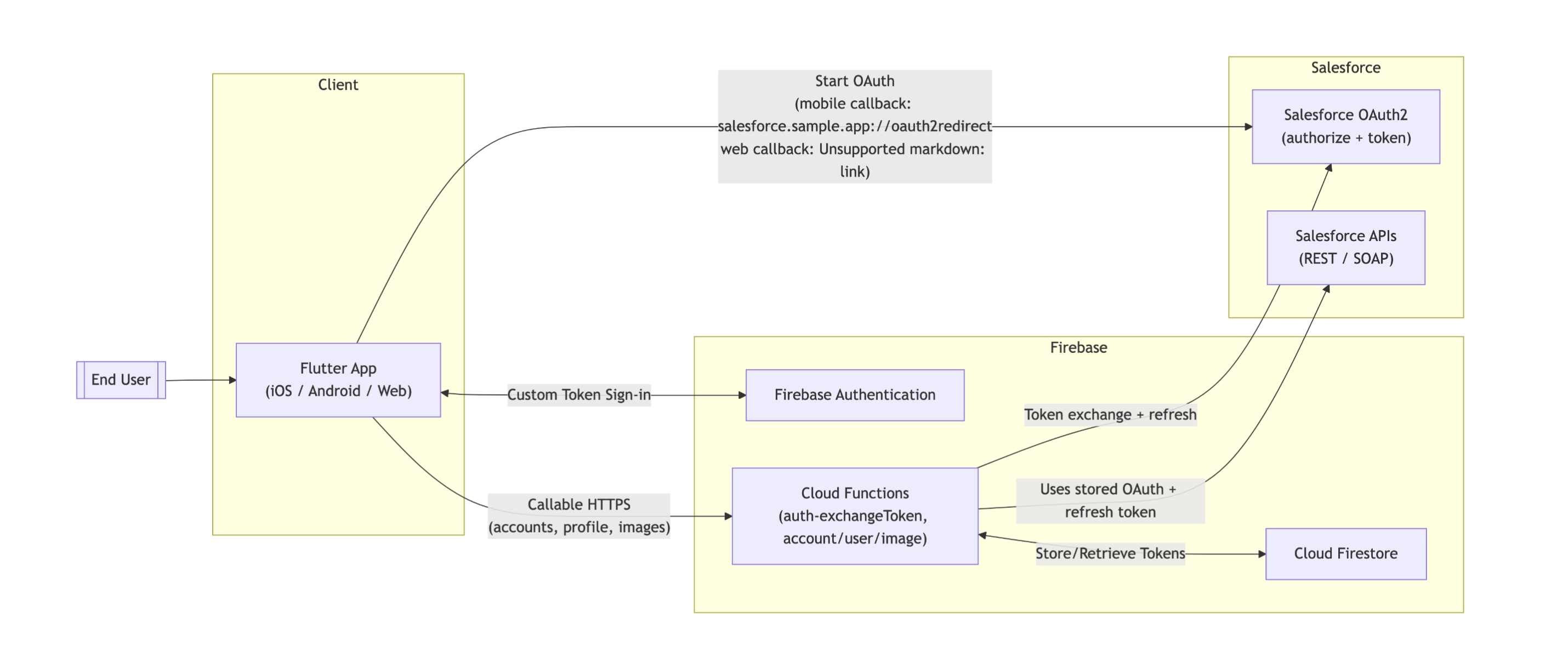
This diagram illustrates the high-level architecture and data flow of the Salesforce Sample App. It shows how the Flutter client, Firebase backend, and Salesforce integration work together.
- Authentication (The Entry Point):
- The Flutter App initiates an OAuth2 login flow directly with Salesforce.
- Once the user approves access, the app receives an authorization code.
- Token Exchange & Session:
- The app sends this code to Cloud Functions.
- The Cloud Function exchanges it for a Salesforce access token and creates a Firebase Custom Token.
- The app uses this custom token to sign in to Firebase Authentication, establishing a secure session.
- Data Operations:
- When the app needs data (like accounts or profiles), it calls Cloud Functions (not Salesforce directly).
- Cloud Functions retrieve the stored Salesforce tokens from Cloud Firestore.
- The functions then make secure API calls to Salesforce to fetch or update data and return the result to the app.
In short: The Flutter app talks to Firebase, and Firebase acts as a secure proxy
Data flow
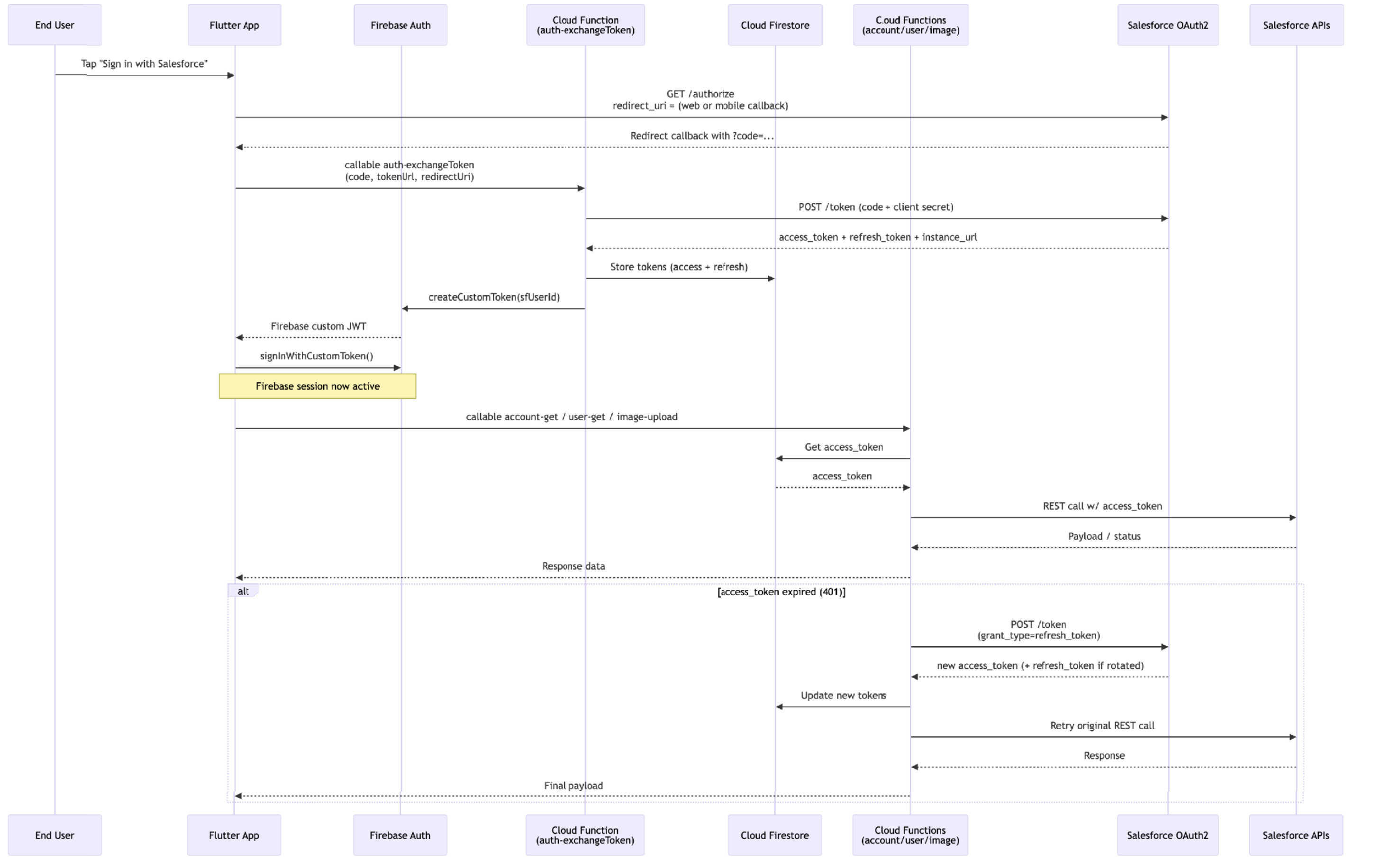
- Authentication & Session Setup (Top Section):
- User Action: The user taps “Sign in” in the Flutter app.
- Salesforce Login: The app redirects the user to Salesforce to log in. Salesforce returns a temporary “code”.
- Secure Exchange: The app sends this code to a Cloud Function. The function talks to Salesforce to swap the code for long-lived Access & Refresh Tokens.
- Storage & Session: The function saves these Salesforce tokens securely in Firestore and creates a Firebase Custom Token. The app uses this token to sign in, establishing a secure Firebase session.
- Data Retrieval (Middle Section):
- Request: When the app needs data (e.g., “Get Account”), it calls a Cloud Function.
- Lookup: The function retrieves the saved Salesforce access token from Firestore.
- API Call: The function uses that token to request data from Salesforce APIs and returns the result to the app.
- Automatic Token Refresh (Bottom Section):
- Error Handling: If a request fails because the Salesforce token has expired (401 error), the Cloud Function automatically catches it.
- Refresh: It uses the stored Refresh Token to get a fresh Access Token from Salesforce.
Retry: It updates the database with the new token, retries the original request, and returns the data to the app seamlessly, without the user noticing.


Leave a comment